
WhatsApp for freight forwarders
WhatsApp enquiries, in the same queue as your email
In the Gulf, a large share of freight enquiries arrive on WhatsApp, on somebody’s phone, where nobody else can see them and nobody is timed. CargoSharks connects your WhatsApp business numbers to the enquiry queue, so a message becomes an enquiry with an owner, a deadline and the whole conversation attached.
Open the live demoAsk for a pilotWhat the product doesHow we compare
01 · Intake
How a message becomes an enquiry
- Each number belongs to a branch. A message to a business number becomes an enquiry for that number’s branch, exactly as an email to a branch mailbox does.
- The sender is matched. The phone number is matched to a customer you already hold, and a follow-up message joins the enquiry it is about rather than opening a new one.
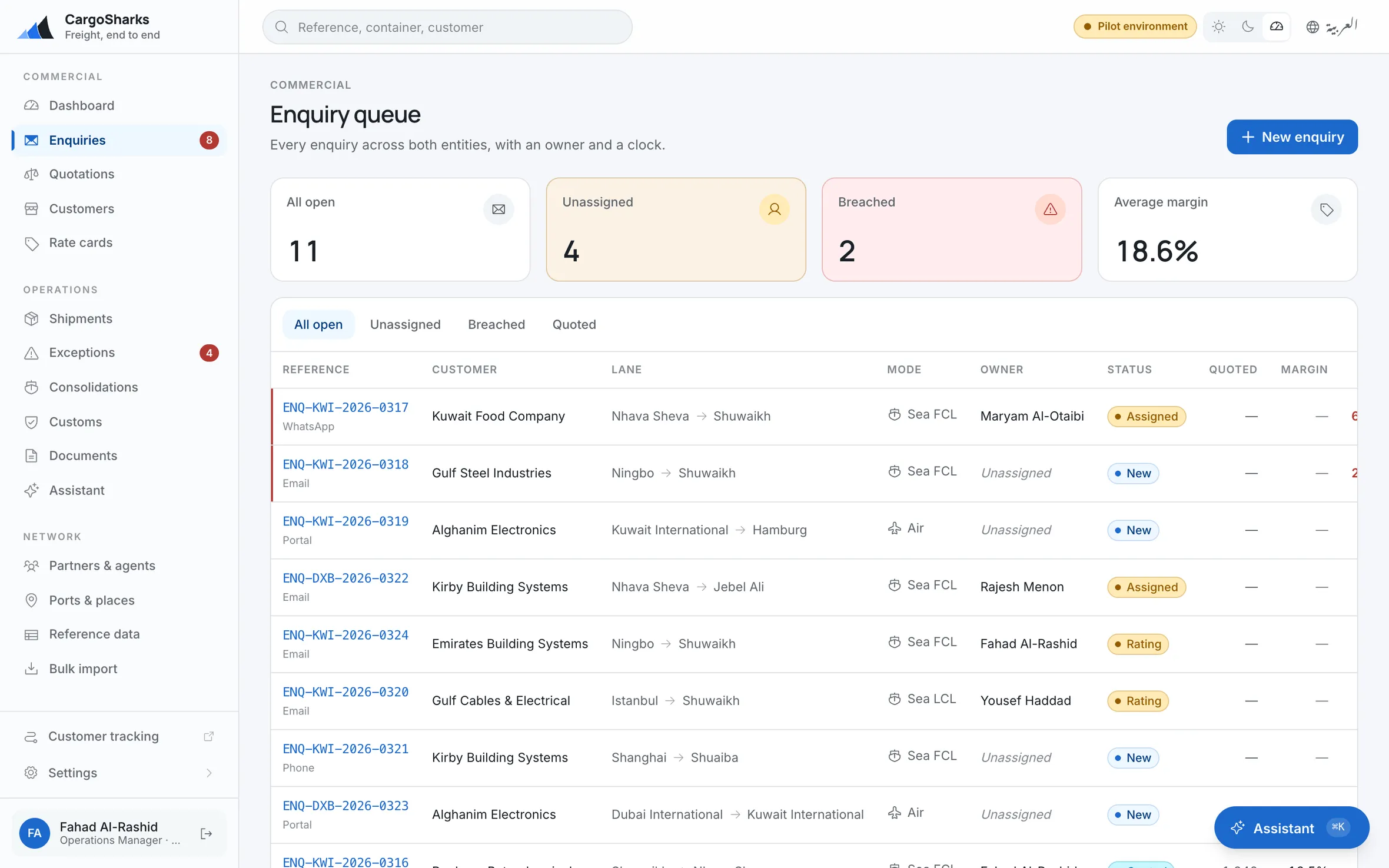
- One queue, one clock. WhatsApp and email enquiries sit in the same list with an owner and a response deadline, so how long you take to answer is measured, whichever channel it came on.
- Photos and PDFs are read. A packing list sent as a photo or a PDF is read with the conversation, not left as an attachment nobody opened.
02 · The assistant
An assistant that knows when to stay quiet
Customers send an enquiry in five short messages. The assistant waits until they stop typing, two minutes by default on WhatsApp, then reads the whole conversation once.
- Proposes, does not decide. What it understood (parties, lane, cargo, dates) is laid out as proposals your coordinator accepts or rejects.
- Asks once, in their language. If a weight or a ready date is missing, it asks the customer once, in the language they wrote in, and confirms once when the enquiry is complete.
- Goes quiet. The moment one of your people replies, including from the business number’s own inbox, it stops. It also ignores chit-chat and auto-replies, and records why it stayed silent.
- Off until you switch it on. It ships switched off, and you turn it on branch by branch.
03 · The reply
From the thread to the quote
Your team reads the whole thread on the enquiry and replies to the customer from there, on the channel the customer used. The enquiry prices from your own rate cards like any other, so a WhatsApp enquiry and an emailed one end in the same quotation.
On the screen
The screen, from the running demo
The boundary
The limits, most of them Meta’s
WhatsApp is in the product for enquiries. This is what it does not do.
- WhatsApp outside 24 hoursYour team replies within the 24 hours Meta allows after the customer’s last message. Starting a conversation after that needs Meta-approved templates, which are not sent yet.
- WhatsApp notificationsShipment updates, document releases and invoice reminders go by email, not WhatsApp.
- Personal numbersOnly WhatsApp business numbers on Meta’s business platform can be connected, not a personal WhatsApp account on a phone.
Does it answer our WhatsApp?
Yes, on the WhatsApp business numbers you connect, each bound to a branch. A customer’s message becomes an enquiry; the assistant asks for anything missing and stops the moment your team replies. It is off until you switch it on.
Can it message a customer days later?
No. Meta allows a free reply within 24 hours of the customer’s last message. Starting a conversation after that needs an approved template, which is not sent yet.
Does the assistant reply in Arabic?
It replies in the language the customer wrote in, Arabic or English.
Will it send quotes on its own?
No. It can prepare a draft quotation when that is switched on, but a person reviews and sends every quotation.
Can several branches have their own numbers?
Yes. Each business number is mapped to one branch, and that branch’s team sees and answers its enquiries.
Read next
Related pages
The fastest way to judge this is to open it.
The demo is the real software on seeded data, with sign-ins for you, your customer and your agent. Nothing you do in it touches anything.